
Hackers are no longer just targeting big companies; everyday Australians are now the easiest targets. From fake emails to phone scams and unsafe Wi-Fi, small mistakes can lead to serious data loss. The good news is that most attacks can be prevented with a few simple steps.
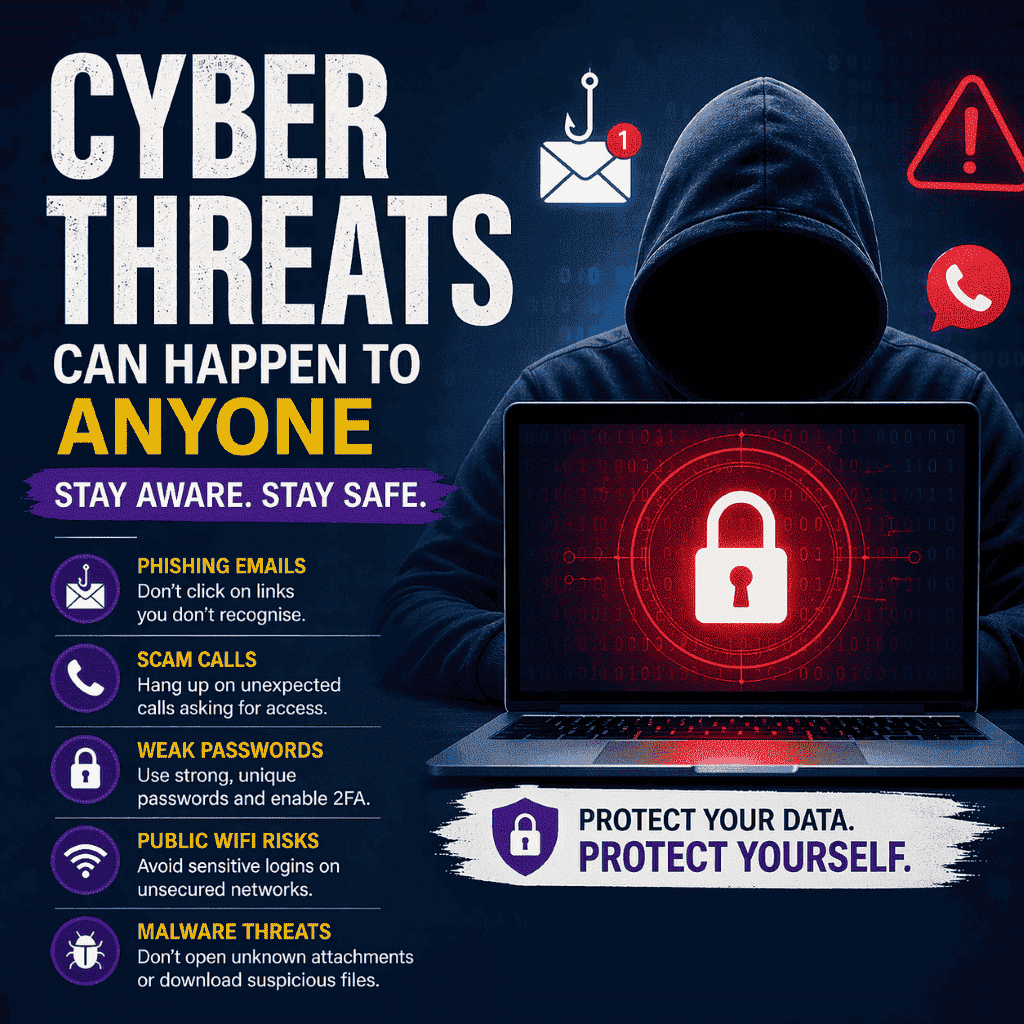
Hackers are no longer just targeting large corporations or government systems. Today, everyday Australians are the primary target. From fake emails to scam phone calls and unsafe Wi-Fi networks, cybercriminals are using simple but highly effective methods to access personal data, bank accounts, and devices.
The reason is simple. Individuals and small businesses often have weaker security, and people are generally easier to trick than complex systems. At Local Geeks, we regularly see cases where a small mistake leads to major issues like locked accounts, stolen data, or completely compromised computers.
Understanding how these attacks work is the first step to protecting yourself.
Why are cybercriminals targeting individuals?
Cybercrime has evolved. Instead of spending time and resources trying to break into highly secure organisations, hackers now focus on individuals because the return is quicker and easier.
A single successful attack can give them access to email accounts, saved passwords, financial information, and even business systems. This shift has made everyday users one of the biggest security risks, not because of negligence, but because most people are simply not aware of how these attacks work.
Phishing emails that look completely real
One of the most common threats is phishing. These emails are designed to look like they come from trusted companies such as banks, Australia Post, streaming services, or even colleagues.
They often create urgency by warning that your account will be locked or compromised. Once you click the link, you are taken to a fake website that looks almost identical to the real one. Entering your login details gives hackers immediate access.
To protect yourself, avoid clicking on links in unexpected emails. Always check the sender’s address carefully and access websites by typing the URL directly into your browser instead of following links.
Phone scams pretending to be tech support
Another growing threat in Australia is scam phone calls. These callers often claim to be from well-known companies like Telstra, Microsoft, or NBN support.
They may tell you that your internet connection has been hacked or that your computer is infected. The goal is to convince you to grant remote access to your device.
Once access is given, they can install malicious software, steal files, or demand payment for fake “repairs”.
It is important to remember that legitimate companies will never call you out of the blue to fix your computer. If you receive such a call, hang up immediately.
Fake websites designed to steal your login details
Many people don’t realise how easy it is to end up on a fake website. These sites are designed to look exactly like real login pages for banking, email, or online services using AI nowadays.
Users often land on them through misleading ads, phishing emails, or simple typing errors in web addresses.
Once you enter your details, they are instantly captured by attackers.
To stay safe, always double-check the website address before logging in. Make sure it is spelled correctly and uses a secure connection. Avoid clicking on ads when accessing important accounts.
Public Wi-Fi risks most people ignore
Free public Wi-Fi is convenient, but it comes with hidden risks. In places like cafes, airports, and shopping centres, attackers can intercept data transmitted over unsecured networks.
This means they may be able to see what you are typing, including passwords or sensitive information.
While public Wi-Fi is fine for casual browsing, it should never be used for logging into banking, email, or business systems. For sensitive tasks, use your mobile data or a secure network.
You might be interested in: Is it safe to use Free Public Wi-Fi?
Weak passwords and reused logins
Password habits remain one of the biggest security issues. Many people reuse the same password across multiple accounts, which creates a major vulnerability.
If one account is breached, hackers can attempt to use the same credentials on other platforms. This can quickly lead to full access to email, banking, and personal data.
The safest approach is to use unique passwords for each account. A password manager can help generate and store strong passwords, and enabling two-factor authentication adds an extra layer of protection.
Malware from downloads and attachments
Malicious software, or malware, is often hidden in email attachments, free downloads, or fake software updates. Once installed, it can silently monitor your activity, steal information, or slow down your system.
In some cases, malware can even lock your files and demand payment to restore access.
To reduce risk, only download software from trusted sources and avoid opening attachments from unknown senders. Keeping your system and antivirus software updated is also essential.
A real example we see often
We recently helped a customer who clicked on a delivery notification message that appeared genuine. Within minutes, their email account was compromised, passwords were changed, and recovery options were locked.
This situation started from a single click and quickly escalated into a serious security issue. Cases like this are becoming more common, which is why awareness is so important.
What to do if you think you’ve been hacked
If you suspect your device or accounts have been compromised, acting quickly can make a big difference.
Start by disconnecting from the internet to prevent further access. Change your passwords immediately, especially for email and banking. If financial details are involved, contact your bank as soon as possible.
Running a full system scan can help detect threats, but in many cases, professional assistance is the safest option to ensure everything is properly secured.
Stay protected with expert help
Cyber threats continue to evolve, but most attacks rely on simple techniques that can be prevented with the right knowledge and setup.
At Local Geeks, we help individuals and businesses secure their systems, remove threats, and recover from attacks. Whether it is malware removal, account recovery, or improving your overall security setup, getting help early can save time, money, and stress.
If you are unsure about your computer’s safety or have noticed unusual behaviour, it is always better to have it checked sooner rather than later.
Final Thoughts:
Hackers no longer rely on complex systems to succeed. Instead, they take advantage of AI, everyday habits and small mistakes.
By staying informed and making a few simple changes, you can significantly reduce your risk and protect your personal and professional data.
Being proactive is always easier than dealing with the consequences of an attack.
FAQs
Can hackers really access my computer remotely?
Yes, especially if you install unknown software or allow remote access. Always be cautious.
Is antivirus enough to stay safe?
No, antivirus helps, but most attacks rely on tricking users, not just software vulnerabilities.
How do I know if my email has been hacked?
Look for unusual activity such as password reset emails, sent messages you didn’t write, or login alerts.
What is the safest way to manage passwords?
Use a password manager and enable two-factor authentication.
Need help securing your computer?
If you are looking for professional support, visit the Computer Repairs Canberra page to explore the full range of services available.
From troubleshooting to security improvements, Local Geeks provides reliable, on-site assistance tailored to your needs.
Call us or book a “Geek” to check it over for you today!
