
Quick Answer: Why is my laptop so slow?
If your laptop takes 5+ minutes to boot or apps freeze constantly, your old mechanical hard drive (HDD) is likely the bottleneck. Upgrading to a Solid State Drive (SSD) can make your computer 10x faster – with boot times dropping from 5 minutes to just 15-30 seconds. At Local Geeks, we provide professional SSD upgrade services across Canberra with complete data migration.
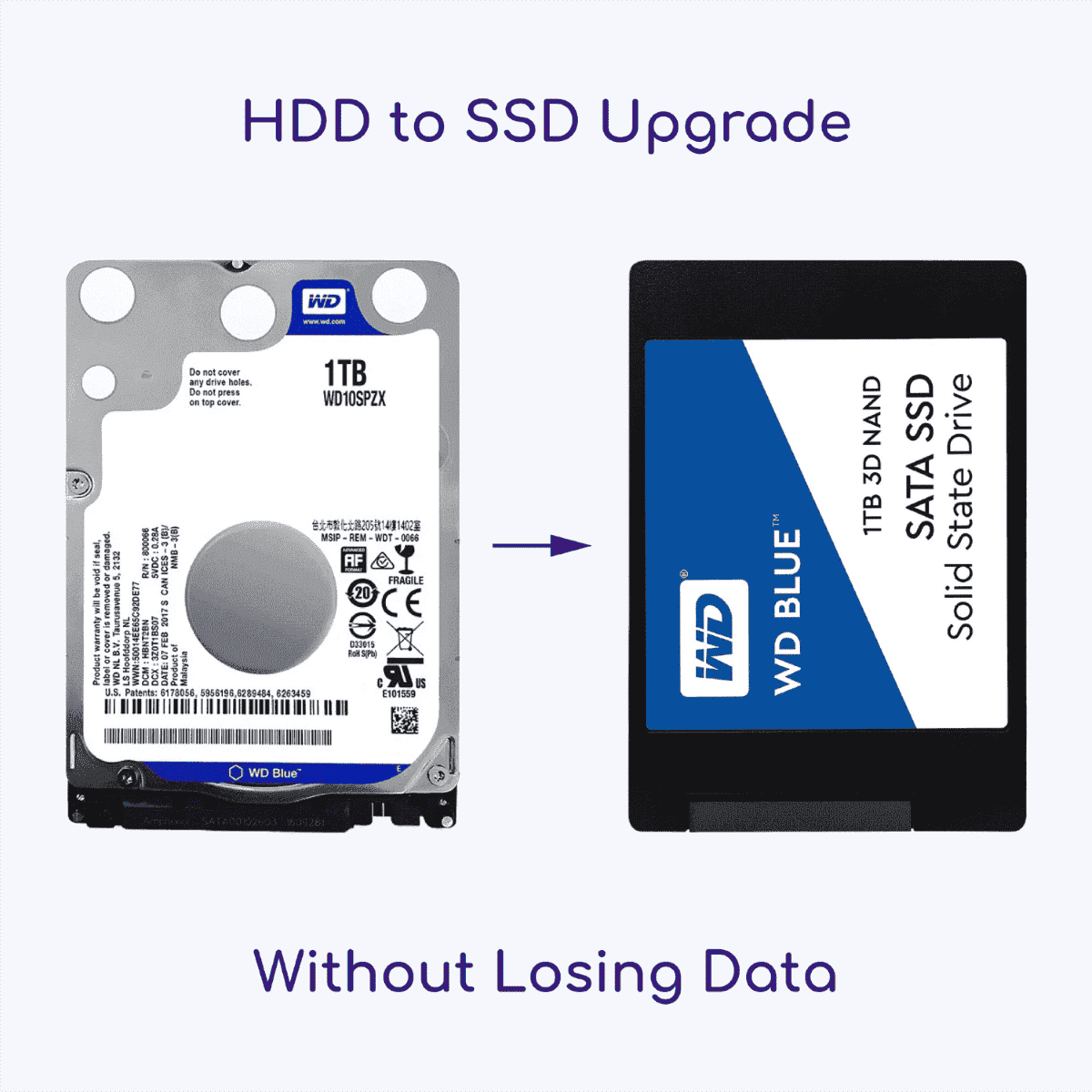
It’s 2026, and we expect our technology to be instant. If you’re still waiting 5 minutes for your laptop to boot up or for Excel to open, you’re not alone. But here is the secret that computer manufacturers don’t always tell you: You probably don’t need a new computer. You just need a storage upgrade.
At Local Geeks, we save Canberra families and businesses thousands of dollars every month by simply upgrading their old hard drives (HDD) to lightning-fast Solid State Drives (SSD). Here is everything you need to know about giving your laptop a second life.
Why is My Laptop So Slow? (Hint: It’s the Hard Drive)
Even in 2026, many older laptops (and even some “budget” desktops bought a few years ago) are running on mechanical Hard Disk Drives (HDD). These drives use spinning magnetic platters to find data, physically moving a needle across a disk. It’s 20th-century technology trying to keep up with 2026 software.
Every Windows update or app update makes the software heavier, and that spinning disk just can’t keep up. This creates the “bottleneck” where your fast processor is sitting idle, waiting for the hard drive to find the data.
HDD vs. SSD: The Difference is Night and Day
Upgrading to a Solid State Drive (SSD) is the single most effective performance boost you can give a computer. Since SSDs use flash memory (like a USB stick but much faster) with no moving parts, the data access is near-instant.
The 2026 Performance Comparison:
- Boot Time: HDD (2-5 minutes) vs. SSD (15-30 seconds)
- Opening Apps: HDD (Laggy, “Not Responding”) vs. SSD (Instant snap)
- Durability: HDD (Fragile if dropped) vs. SSD (Shock resistant)
- Noise: HDD (Whirring/Clicking) vs. SSD (Silent)
Want Even Faster? Consider an NVMe SSD Upgrade!
For even faster performance, we also offer NVMe SSD upgrades. NVMe drives are up to 5x faster than traditional SATA SSDs, making them ideal for video editing, gaming, and professional workloads. If your laptop supports NVMe (most models from 2018 onwards), we can help you choose the right upgrade.
🚀 Ready to Speed Up Your PC?
Don’t throw away a perfectly good laptop! Our mobile technicians come to you anywhere in Canberra.
5 Signs You Need an SSD Upgrade Immediately
Not sure if this is your problem? If you experience any of these symptoms, an upgrade is the solution:
- The “Spinning Wheel” of Doom: You see loading icons constantly for simple tasks.
- Slow Boot-Ups: You have time to make a coffee before Windows is ready to use.
- Loud Noises: Your laptop sounds like a jet engine or makes clicking sounds (a sign of failing hardware!).
- 100% Disk Usage: Your Task Manager shows the disk is working at 100% even when you aren’t doing anything.
- Delayed Typing: Text appears seconds after you type it.
You might be interested in: How to Spot a Failing Hard Drive Before It Dies (HDD + SSD)
Can I Upgrade It Myself?
While tech-savvy users might attempt a DIY upgrade, it comes with risks in 2026. Modern laptops are becoming harder to open, with hidden screws and fragile ribbon cables. Plus, the biggest challenge isn’t the screwdriver work, it’s the data migration.
You don’t want to lose your photos, emails, and tax documents.
That’s where Local Geeks comes in. We perform a professional “Disk Clone,” which means we copy your exact Windows environment to the new drive. When you turn it on, your wallpaper, passwords, files, and programs are exactly where you left them, just 10x faster.
Why Choose Local Geeks for Your Upgrade?
We are Canberra’s specialised mobile computer repair experts. We believe in sustainability and honest service. Why spend $1,500 on a new MacBook or Dell XPS when a $250 upgrade could make your current one feel brand new?
We Come to You Across ACT
Forget unplugging everything and driving to a shop. Our mobile techs service the entire region, including:
- Belconnen: Bruce, Macquarie, Kaleen
- Gungahlin: Harrison, Forde, Casey
- Tuggeranong: Kambah, Wanniassa, Gordon
- Woden Valley & Weston Creek
- Queanbeyan & Jerrabomberra
FAQ: SSD Upgrades in Canberra
How much does an SSD upgrade cost in 2026?
Prices have stabilised in 2026. A standard upgrade generally ranges between $200 and $350 depending on the storage size (500GB, 1TB, or 2TB) and your laptop model. This includes the new part, professional installation, and data cloning.
Will I lose my files during the SSD upgrade?
No! With our cloning service, we transfer everything. It is a 1:1 copy of your old drive.
How long does it take for an SSD Upgrade?
Most upgrades can be completed onsite in 1-2 hours. If a complex data transfer is required, we may take it to our workshop and return it the next day.
Will an SSD upgrade work on my old laptop?
Yes! Most laptops from 2010 onwards can be upgraded to an SSD. Even older computers benefit dramatically from this upgrade. Our technicians can assess your specific model and recommend the best SSD option.
What size SSD do I need?
It depends on your usage. For basic users (web browsing, documents, email), 500GB is sufficient. For photo/video storage or gaming, we recommend 1TB or 2TB. We’ll help you choose the right size based on your current usage.
Can you upgrade MacBooks to SSD?
Yes, we can upgrade many MacBook models, though newer models (2016+) may have soldered storage that cannot be upgraded. Contact us with your MacBook model, and we’ll let you know if an upgrade is possible.
Is it worth upgrading an old laptop to SSD?
Absolutely! An SSD upgrade can extend your laptop’s life by 3-5 years. If your laptop is slow but otherwise functional, upgrading to an SSD is far more cost-effective than buying a new computer. It’s also better for the environment.
Do you offer a warranty on SSD upgrades?
Yes! All our SSD upgrades come with a warranty on both parts and labour. The SSD itself typically has a manufacturer’s warranty of 3-5 years, and we guarantee our installation work.
What happens to my old hard drive?
We return your old hard drive to you so you have a backup of your data. You can keep it as a secondary backup or dispose of it securely. We can also help with secure data destruction if needed.
Can I upgrade my desktop PC to an SSD?
Yes! Desktop computers are even easier to upgrade than laptops. We can install an SSD as your primary drive or add it as a secondary drive alongside your existing HDD for extra storage.
Stop Waiting on a Slow Computer
Get the speed you deserve today. Call Local Geeks on 1300 857 581 or book online.
